ByJohn A
How to Choose the Best Mousepad for Work, Gaming, and Daily Use
A mousepad may seem like a small desk accessory, but it can make a major difference in comfort, accuracy, productivity, and overall computer experience. Whether you use your computer for office work, graphic design, studying, casual browsing, or competitive gaming, the right mousepad helps your mouse glide smoothly, improves sensor tracking, and protects your desk surface from scratches. Many people spend money on a high-quality mouse but forget that the surface underneath matters just as much. A poor-quality surface can cause skipping, uneven movement, wrist discomfort, and slower response times.
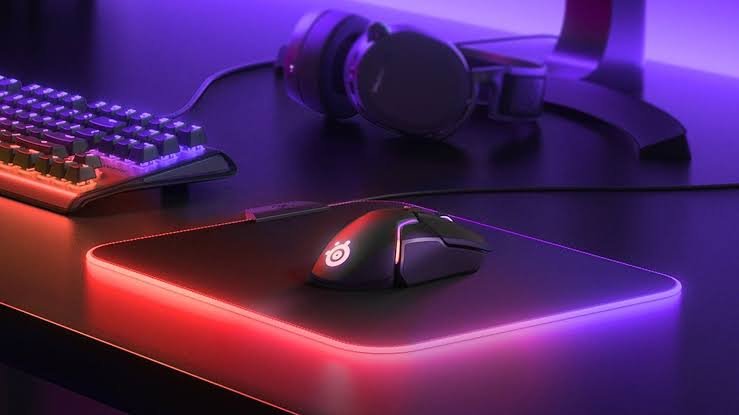
Today, a mousepad is available in many forms, including soft cloth pads, hard plastic pads, large desk mats, ergonomic wrist-rest pads, RGB gaming pads, and professional control surfaces. Each type is designed for a different need. For example, a gamer may prefer a large, low-friction mousepad for fast movements, while an office worker may need a comfortable pad with wrist support for long hours. Similarly, a designer may need precise control, consistent texture, and enough space for detailed cursor movement.
Choosing the best mousepad depends on your daily habits, mouse type, desk size, sensitivity settings, and comfort requirements. In this guide, you will learn what features matter most, how different materials affect performance, and how to select a mousepad that fits work, gaming, and everyday use.
Why a Mousepad Matters More Than You Think
A good mousepad improves more than just appearance. It creates a stable and predictable surface that allows your mouse sensor to read movement accurately. Without a proper mousepad, your mouse may behave differently depending on the desk material. Glass, glossy wood, rough laminate, and uneven surfaces can interfere with tracking, especially when using optical or laser sensors. This becomes frustrating during tasks that require precision, such as editing photos, working in spreadsheets, designing layouts, or aiming in games.
For office users, a reliable mousepad can reduce unnecessary hand strain. When your mouse moves smoothly, you use less force and make fewer repeated corrections. Over time, this can help improve comfort during long working hours. A padded or ergonomic mousepad with wrist support may also help maintain a more natural hand position, especially for people who type and use a mouse throughout the day. However, comfort is personal, so the best option depends on your posture, desk height, and working style.
For gamers, the mousepad becomes even more important. Gaming requires speed, control, and consistency. A small or slippery surface can limit movement, while an uneven surface can affect aim. That is why many gamers choose large gaming pads or extended desk mats. These provide enough room for low-DPI movements and prevent the mouse from sliding off the edge during fast actions. In competitive gaming, even small differences in glide and control can affect performance.
A mousepad also protects your desk. Repeated mouse movement can wear down the desk finish, especially on wooden or painted surfaces. A quality pad adds a protective layer while also making your workspace look cleaner and more organized. Therefore, whether you are a student, remote worker, content creator, or gamer, choosing the right mousepad is a practical upgrade.
Choosing the Right Mousepad Size for Your Setup
Size is one of the most important factors when buying a mousepad. The best size depends on how much desk space you have and how you use your mouse. Small pads are compact and easy to place on crowded desks, making them suitable for basic office work, laptops, and casual browsing. However, they may feel restrictive if you move your mouse frequently or use low sensitivity settings.
A medium mousepad is a balanced option for most users. It provides enough space for comfortable movement without taking over the entire desk. If you work with documents, emails, web browsing, or light creative tasks, a medium-sized pad is usually enough. It also works well for people who use moderate mouse sensitivity and do not need wide sweeping movements.
Large and extended mousepad options are popular among gamers, designers, programmers, and people who want a cleaner desk layout. A large gaming mousepad allows wider hand movement, which is useful for low-DPI gaming and precision-based tasks. Extended desk mats go even further by covering space for both the keyboard and mouse. This creates a unified surface, prevents keyboard sliding, and gives your setup a premium look. Many users also prefer extended pads because they make the desk feel softer under the wrists and forearms.
Before choosing a size, measure your available desk area. Consider your keyboard size, monitor stand, speakers, notebooks, and other accessories. A mousepad should fit comfortably without making the workspace feel crowded. Also think about your movement style. If you mainly move your mouse using your wrist, a small or medium pad may work. If you use your arm for broader movements, a large or extended pad is better.
Thickness also plays a role. Thin pads feel closer to the desk and are easy to roll or carry. Thicker pads provide more cushioning and can hide minor desk unevenness. For daily use, a 3 mm to 4 mm thick mousepad is a comfortable middle ground. For travel or laptop use, a thinner option may be more convenient.
Best Mousepad Materials: Cloth, Hard Surface, Leather, and More
The material of a mousepad affects glide, control, comfort, cleaning, and durability. Cloth is the most common material because it offers a soft feel, good control, and affordable pricing. A cloth mousepad is ideal for office work, school use, casual browsing, and many gaming styles. It provides enough friction to stop the mouse accurately, making it useful for users who want control rather than extreme speed. Cloth pads are also comfortable for long sessions because they feel soft under the hand.
Hard-surface pads are usually made from plastic, aluminum, glass, or composite materials. These pads offer faster glide and lower friction, making them attractive for users who prefer quick mouse movement. A hard mousepad can be excellent for fast-paced gaming or productivity tasks where speed matters. However, hard surfaces may feel less comfortable over long hours, and some can wear down mouse feet faster than cloth pads. They may also make more noise during movement.
Leather and faux leather pads are often chosen for office aesthetics. A leather-style mousepad looks elegant and professional, especially in executive desks, home offices, and minimalist setups. These pads are usually easy to wipe clean and pair well with premium workspaces. However, they may not offer the same tracking consistency as high-quality cloth or gaming surfaces, especially for competitive gaming.
Rubber backing is another important feature. A good mousepad should have a non-slip base that keeps it stable during movement. If the base slides around, the pad becomes annoying and less effective. Natural rubber and textured anti-slip bases are common in quality pads. Stitched edges are also worth considering because they prevent fraying and increase lifespan, especially on cloth pads.
Water-resistant coating is useful for daily use. Spilled coffee, tea, or water can damage cheaper pads, so a spill-resistant mousepad is a smart choice for busy workstations. However, the coating should not make the surface too slippery or sticky. The ideal material should match your needs: cloth for comfort and control, hard surface for speed, leather for style, and extended fabric mats for all-around use.
Mousepad Surface Types for Work, Gaming, and Creative Tasks
The surface texture of a mousepad determines how the mouse feels during movement. Most pads fall into two categories: speed surfaces and control surfaces. A speed mousepad has a smoother texture, allowing the mouse to glide quickly with minimal resistance. This is useful for gamers who play fast-paced titles, users with high-resolution monitors, or anyone who likes light, effortless movement.
A control mousepad has slightly more texture and friction. This helps users stop the cursor precisely and make small adjustments. For graphic designers, video editors, architects, and spreadsheet-heavy office workers, control can be more important than speed. It allows detailed movement without overshooting. Many gaming mousepads are also designed for control because accurate aiming often requires a stable stopping point.
For general office work, a balanced surface is usually best. You do not need an extremely fast pad unless you prefer that feel. A medium-friction mousepad provides smooth movement while still giving enough control for daily tasks. It is suitable for browsing, writing, data entry, online meetings, and multitasking.
For gaming, your choice depends on game type and mouse sensitivity. First-person shooter players often prefer large control or hybrid pads because aim accuracy matters. MOBA and real-time strategy players may prefer faster surfaces for quick cursor movement across the screen. Casual gamers can use a balanced gaming mousepad that offers both speed and control.
Creative professionals should look for consistency. A mousepad with uneven texture can make detailed work difficult. If you edit images, draw digitally, or work with design software, choose a surface that supports precise tracking and smooth micro-movements. Also make sure the pad works well with your mouse sensor. Most modern optical mice perform well on quality cloth pads, while some laser mice may work better on harder surfaces. Ultimately, the best surface is the one that feels natural and supports your workflow.
Read Also: Emerging Trends in Secure Engineering
Ergonomics, Comfort, and Wrist Support
Comfort should be a priority when choosing a mousepad, especially if you spend many hours at a computer. Wrist discomfort, hand fatigue, and forearm pressure can develop when your setup is not ergonomic. While a mousepad alone cannot fix poor posture, it can improve the way your hand moves and rests on the desk.
An ergonomic mousepad usually includes a wrist rest made from memory foam, gel, or soft cushioning. This can support the wrist and reduce pressure during long sessions. Office workers, students, and remote professionals often find wrist-rest pads comfortable for everyday tasks. However, wrist rests are not ideal for everyone. Some gamers avoid them because they can limit movement and interfere with fast arm motion. For gaming, a large flat pad is usually better because it allows free movement.
Thickness and softness also affect comfort. A thin mousepad feels firm and direct, while a thicker pad offers cushioning. If your desk has a hard edge or rough surface, a thicker pad may feel better. Extended desk mats are especially comfortable because they support both the keyboard area and mouse area, reducing pressure on the wrists and forearms.
Desk height and chair position matter too. If your arm is angled awkwardly, even the best mousepad may not solve discomfort. Your wrist should stay relatively neutral, and your elbow should rest comfortably near your side. A smooth pad helps because it reduces the force needed to move the mouse. This is especially useful for people who work long hours in front of a computer.
If you already experience wrist pain, consider combining a comfortable mousepad with an ergonomic mouse, proper chair height, and regular breaks. For daily use, choose a pad that feels soft but stable, has enough room for movement, and does not slide around. Comfort, durability, and control should work together.
Durability, Cleaning, and Maintenance Tips
A quality mousepad should last a long time with basic care. Durability depends on material, stitching, surface coating, base grip, and how often you use it. Cloth pads are comfortable but can collect dust, sweat, skin oils, and crumbs over time. This can affect glide and make the surface look worn. Cleaning your mousepad regularly helps maintain performance and hygiene.
For most cloth pads, gentle cleaning is enough. Use lukewarm water, mild soap, and a soft cloth or sponge. Avoid harsh chemicals because they can damage the surface texture or coating. After cleaning, rinse carefully and let the mousepad air dry completely before using it again. Do not use high heat, as it may warp the rubber base or damage stitching.
Hard pads are usually easier to clean. A quick wipe with a damp cloth can remove dust and marks. However, hard surfaces may show scratches more easily, especially if dirt particles get trapped under the mouse. Keeping both the mouse feet and mousepad clean helps prevent rough movement.
Stitched edges improve durability because they stop the edges from peeling or fraying. This is especially important for large cloth pads and gaming pads that see heavy use. A non-slip rubber base also matters because constant sliding can bend or wear the pad unevenly.
If you eat or drink near your computer, a water-resistant mousepad is a smart choice. It protects against spills and makes cleaning easier. However, even spill-resistant pads should be cleaned quickly after accidents. With proper maintenance, a good mousepad can stay smooth, comfortable, and attractive for years.
FAQs About Choosing a Mousepad
What type of mousepad is best for office work?
For office work, a medium-sized cloth mousepad or an ergonomic pad with wrist support is usually best. It offers comfort, smooth tracking, and enough control for daily tasks such as browsing, writing, and spreadsheets.
Is a gaming mousepad different from a regular mousepad?
Yes. A gaming mousepad is often larger, more durable, and designed for better tracking consistency. It may offer speed, control, or a hybrid surface depending on the gaming style.
Do I need a large mousepad?
You need a large mousepad if you use low mouse sensitivity, play games, work on creative tasks, or want more freedom of movement. For basic laptop or office use, a small or medium pad may be enough.
Are hard mousepads better than cloth mousepads?
Hard pads offer faster glide, while cloth pads provide more comfort and control. The better choice depends on your preference. For long daily use, cloth is usually more comfortable. For speed-focused movement, a hard mousepad may be better.
How often should I clean my mousepad?
Clean your mousepad every few weeks if you use it daily. If it looks dirty, feels sticky, or affects mouse movement, clean it sooner.
Conclusion
Choosing the best mousepad depends on how you use your computer. For office work, comfort and stability matter most. For gaming, size, surface texture, and tracking consistency are essential. For daily use, a balanced mousepad with a smooth surface, non-slip base, and durable edges is usually the smartest choice.
Before buying, consider size, material, surface type, thickness, wrist comfort, and cleaning needs. A small pad may work for simple tasks, but a large or extended mousepad gives more freedom and a cleaner desk setup. Cloth pads are excellent for comfort and control, hard pads are better for speed, and ergonomic pads can help users who need extra wrist support.
A good mousepad is not just an accessory. It improves productivity, protects your desk, supports smoother movement, and makes your workspace more comfortable. Whether you are working, gaming, studying, or browsing, the right mousepad can make every click and movement feel better.